TL;DR
Kraken TV is a newly launched app for Apple TV, Android TV (including Google TV), and Amazon Fire TV that transforms your television into a live crypto market display. It requires no account, sign-in, or setup: just install and start using it.
The app features a news experience with a headline-centric feed, a saved reading list, and a scrolling Market Wire ticker. Additionally, it offers Small, Medium, and Big layouts that adjust based on your viewing distance, which can be modified at any time.
An ambient screensaver showcases the latest prices, news, and events for your selected coins for hours, preventing your TV from going to sleep.
Kraken TV complements the Kraken app: scan a QR code to continue on your mobile device and trade coins there. No trading occurs via the TV app.
Crypto markets, now on the big screen
Crypto markets are always active, and now your TV can reflect that. Today marks the introduction of Kraken TV, a new app available for Apple TV, Android TV, and Amazon Fire TV, effectively turning your television into a live crypto market interface. Prices, market movers, and news are designed for easy reading from both close and distant viewing.
There is no setup required; simply install Kraken TV and it will function immediately, without the need for an account or sign-in.
Live markets at a glance
Upon opening, Kraken TV presents a Markets screen featuring live prices, 24-hour changes, and sparklines for the cryptocurrencies you care about, along with the most significant movers, allowing you to stay updated on market trends.
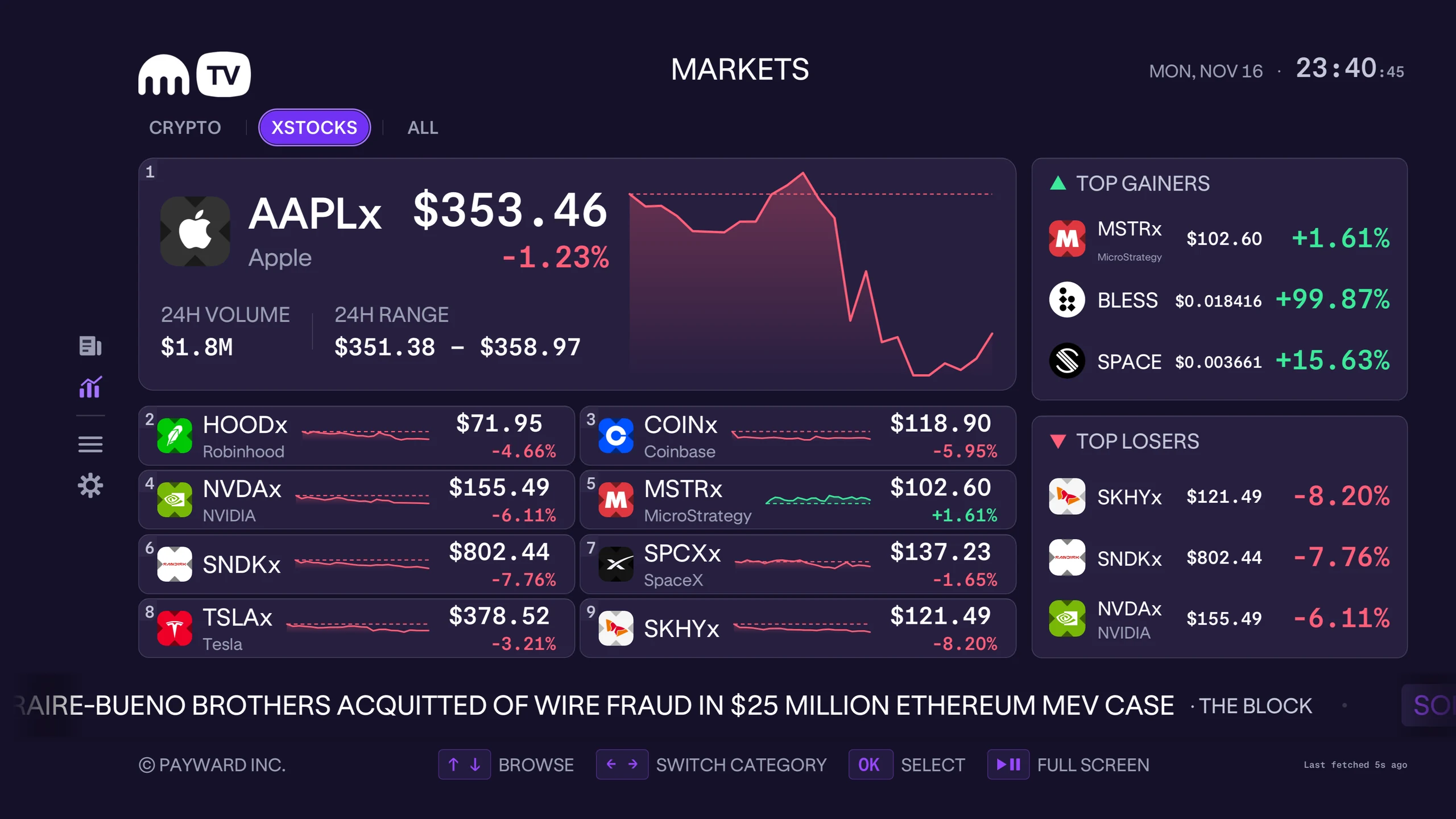
The app includes a built-in asset picker, enabling you to prioritize your chosen cryptocurrencies, and this selection remains consistent throughout the app.
News you can read from the couch
The news feature is the latest addition to Kraken TV and the driving force behind this launch. We have developed a browsable, headline-focused feed that is easy to read from the comfort of your couch.
Filter your news feed by category or asset to focus on what is most relevant to you.
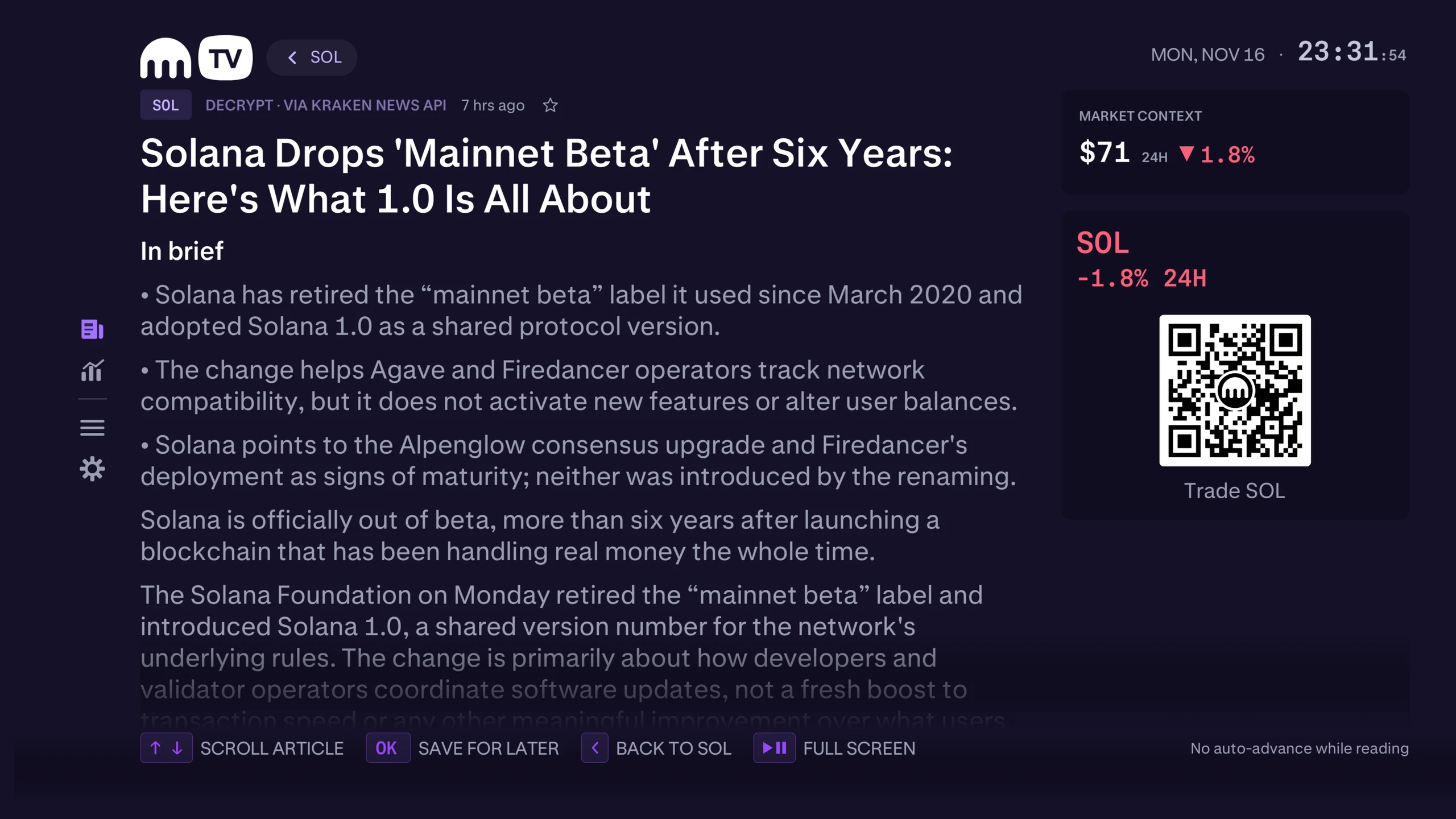
Open any news story to view the full article directly on your screen.
Star a story while reading to add it to your saved reading list.
Keep track of the Market Wire, a scrolling ticker at the bottom of the screen.
Scan the QR code on a story that interests you to continue on your phone and execute trades for that coin in the Kraken app.
Coin pages built around the news
Selecting any asset from the grid will direct you to its dedicated coin page, centered around the latest news regarding that coin. This feature allows you to quickly understand what influences an asset without leaving your seating.
A screensaver that keeps the market in view
Kraken TV also serves as an ambient screensaver. You can create a list of your preferred coins, and it will display their latest prices, news, and events for hours without your television going into sleep mode.
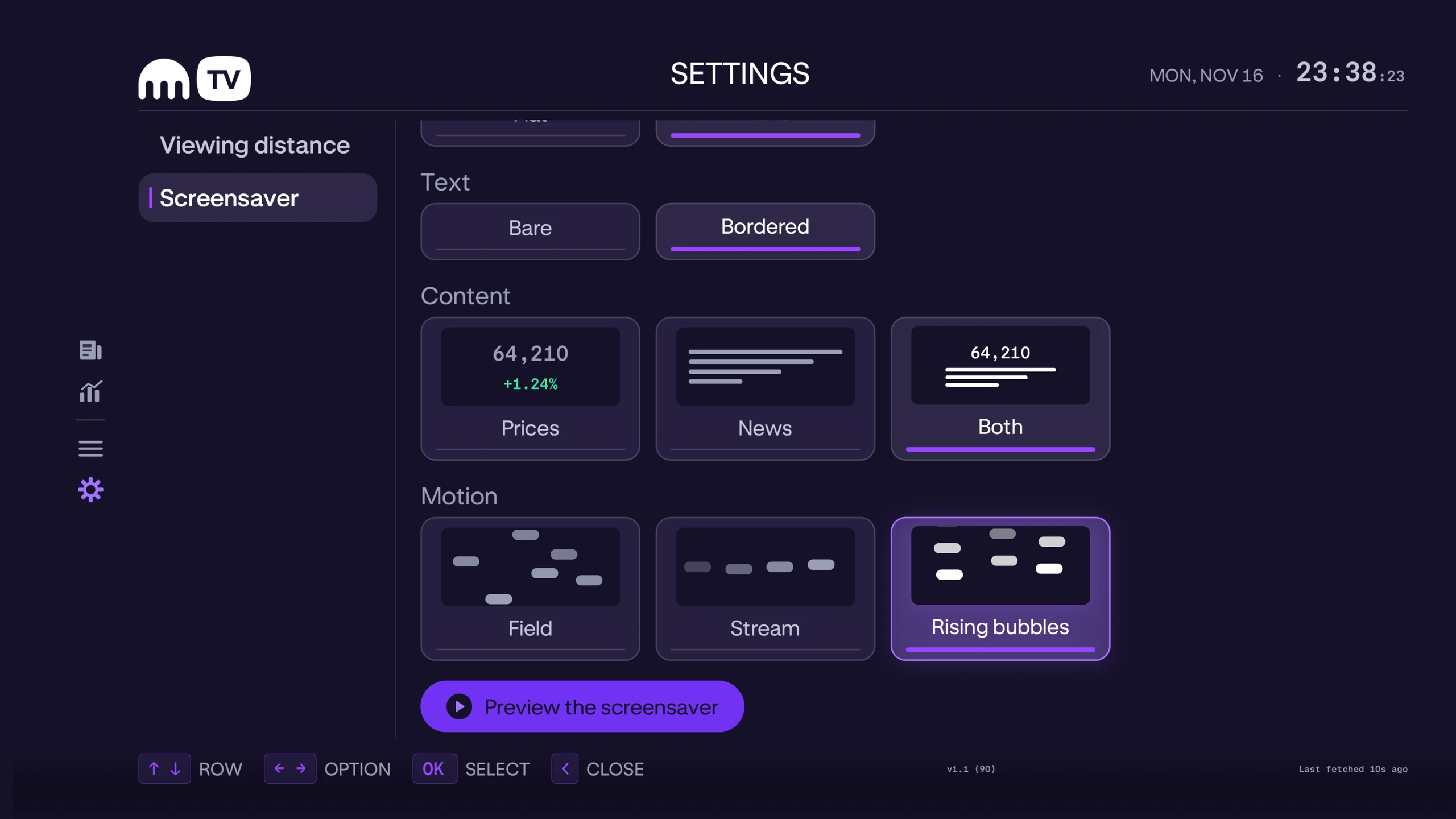
This functionality allows you to remain informed without needing to continuously focus on the screen or search for updates, making it an ideal choice for waiting areas, shared spaces, or simply as background ambiance.
Big, Small, and Medium: one app, three ways to
When you first launch Kraken TV, it will inquire about your distance from the screen. The app will then arrange itself based on that distance, and you can adjust your choice whenever necessary.
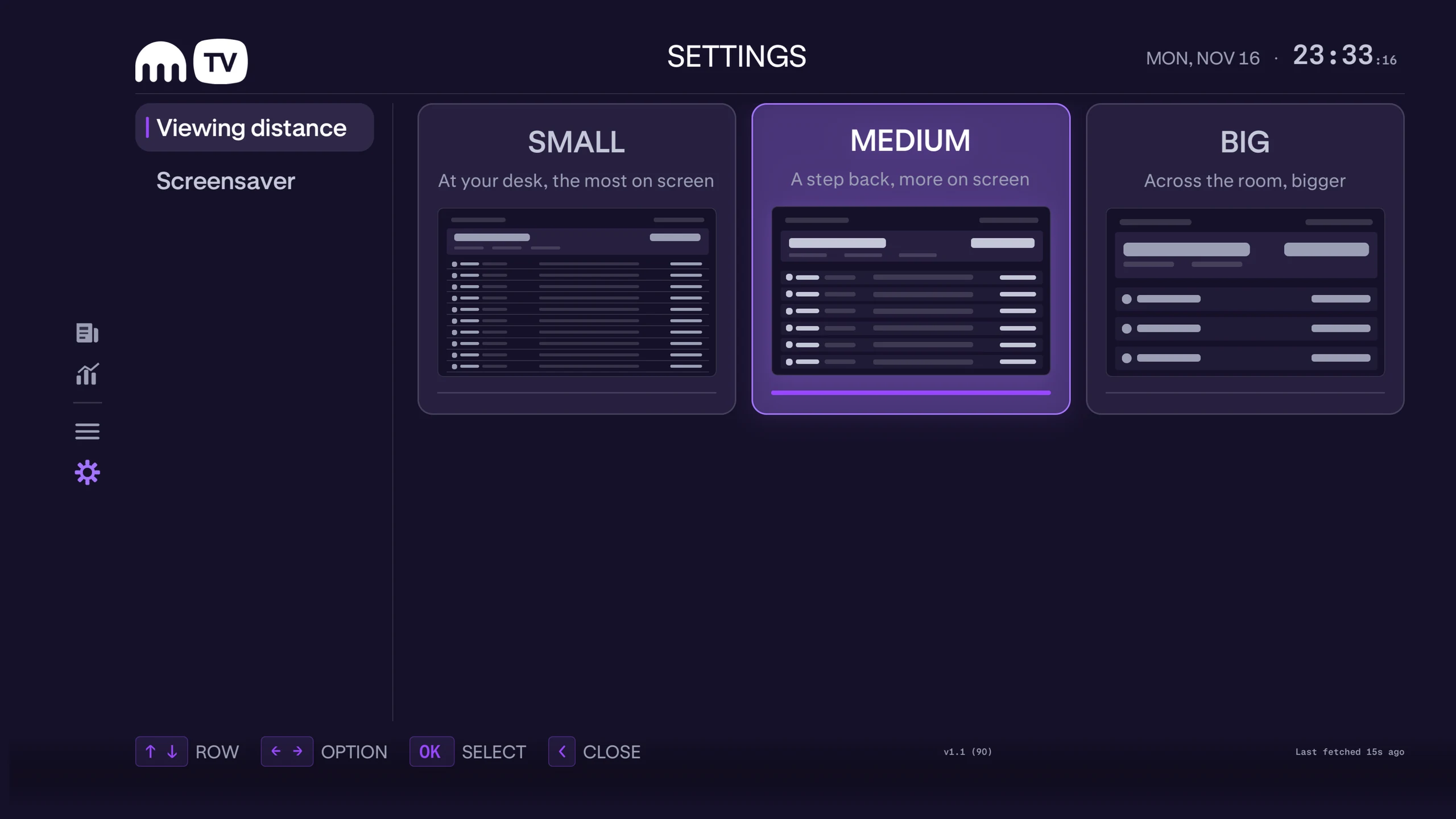
The Big layout uses larger text and fewer rows, ensuring readability from a distance.
The Small layout displays denser details for close viewing.
The Medium layout offers a compromise between the two.
One app, three genuinely distinct reading experiences.
Built for a remote control
Kraken TV is specifically designed for use with a remote control, not a cursor. A left-hand rail provides quick access to all sections, each of which opens in its own window, clearly labeled in the header so users are always aware of their current location.
A companion to the Kraken app
Kraken TV serves as a companion to the Kraken app rather than a replacement. When you encounter noteworthy content on screen, such as a story regarding a coin you follow, simply scan the QR code to continue in the Kraken app on your mobile device and make trades from there. No transactions can be performed through the TV app.
Available on Apple TV, Android TV, and Amazon Fire TV
One version supports Apple TV, Android TV (including Google TV), and Amazon Fire TV. Kraken TV is our first application available on the Amazon Appstore. Download Kraken TV on your streaming device, select your viewing distance, and bring the market to your large screen.
Apple TV (App Store)
Google TV/Android TV (Google Play)
Fire TV (Amazon Appstore)